
Field and home services

iService job records for field and home services

iService keeps scheduling, dispatch, and follow-up requests on one customer interaction. Office and field teams work from the same structured job record from the first request through the next action. Custom Forms capture job details, and Workflow Automation moves the work to the responsible team.

A technician filling a structured form at a house, the same form travelling clipped to the job into the dispatch office

One iService job record for office and field teams

iService keeps appointment and follow-up work on one customer interaction as it moves between the office and field.

Your office team sees the full job record from first contact through scheduling and the visit.
Capture and route field-service job details

iService captures job details before it routes each request to the responsible team.

Custom Forms connect to Workflow Automation, so office and field staff work from one structured job record when their part begins.

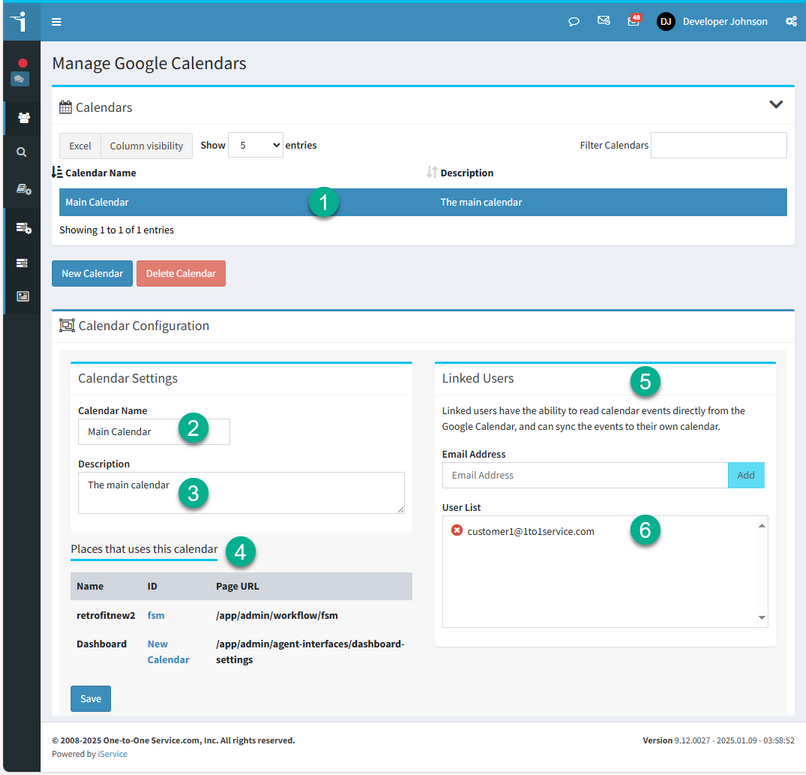
iService managing the calendars that schedule field work

Quote requests and estimation visits in iService

An office coordinator creates a quote request and schedules an estimation visit for a customer address.

In iService, the coordinator creates the request from the workflow calendar, schedules the visit, and opens the interaction to see the address. The job record stays with the request from office to field.

A kneeling technician working at home equipment with the property's earlier visit record propped open beside them

iService property and appointment details at every handoff

iService carries property and appointment details from field intake through office follow-up.

Both teams use the same job record for the customer request.

Field-service workflows in iService

iService uses custom Answer Panels and interaction properties for each field-service workflow.

The record holds the property details and next actions your team needs for the job.

See your service workflow in iService

Request a demo to see job details captured in a Custom Form, moved to the responsible team, and kept with the office and field record.

Request a Demo