

Integration

Show Salesforce customer context in iService

iService displays Salesforce account and contact context where agents handle the interaction. Each interaction record links to the Salesforce account. Administrators map account, contact, and case fields and choose inbound directions. Salesforce remains authoritative for mapped inbound fields.

Two systems standing on either side of a single drawn dividing line, each holding different work

Customer context stays with the interaction

Agents confirm Salesforce account and contact details while they handle the customer interaction.

iService displays Salesforce account and contact context in the interaction. Agents confirm the customer where they handle service work. The interaction record links to the Salesforce account and keeps customer context with the active request.

A single traced route outlined on one small part of a much larger empty surface

Map Salesforce fields to iService

Administrators map Salesforce account, contact, and case fields for the service interaction.

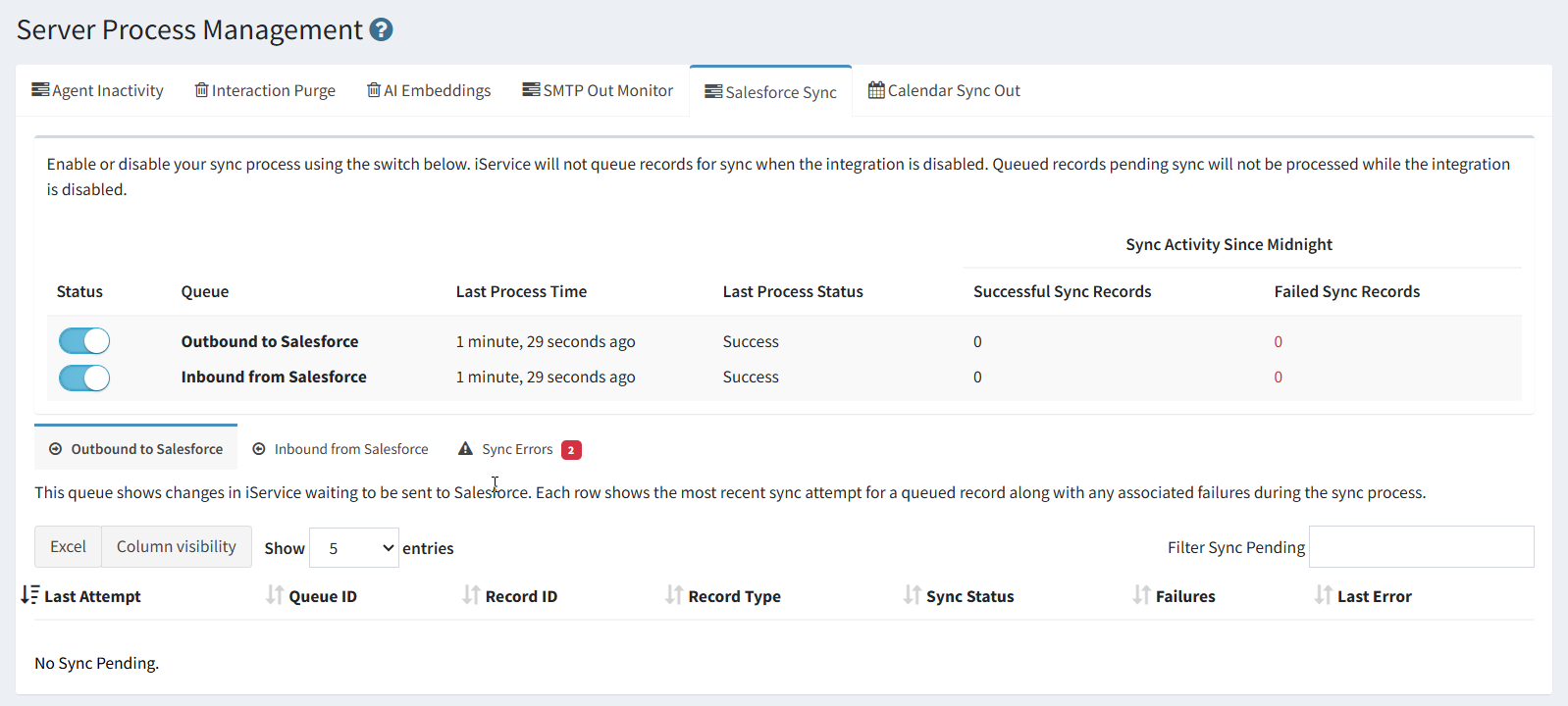
Administrators enter Salesforce credentials in iService, map account, contact, and case fields, then enable selected sync directions in Server Process Management. Each mapped field can be set inbound from Salesforce. Salesforce remains the authoritative source for those fields.

The iService Salesforce sync tab showing the state of the connection

Confirm the customer before replying

An agent verifies the linked Salesforce account and contact before taking the next service action.

An agent opens an interaction and sees the linked Salesforce account and contact context beside the customer message. The agent confirms the customer and handles the request with account details in the same work area. The interaction remains linked to the Salesforce account throughout the service work.

Link the interaction to the account

Each service interaction links to the Salesforce account that holds its customer context.

iService links each interaction record to the Salesforce account. Agents see account and contact details where they handle the interaction. Salesforce remains the system that owns mapped inbound fields.

Keep Salesforce as the field authority

Salesforce remains authoritative for account, contact, and case fields mapped inbound to iService.

iService lets administrators set each mapped field inbound from Salesforce. Salesforce remains authoritative. The service team receives account and contact context in the interaction while Salesforce retains ownership of the mapped record.

Discuss your Salesforce integration

iService shows Salesforce account and contact context beside each interaction while Salesforce remains authoritative for mapped fields.

Discuss Salesforce Integration