Platform

Draft agent replies from approved guidance

iService drafts replies from the customer question and approved policy, format, and tone guidance inside the interaction. Suggested replies, summaries, and retrieved passages appear beside the active record. The agent reviews the draft, chooses whether to insert it, and controls whether it is sent.

A guided answer panel presenting task-specific inputs and actions beside an interaction

Review reply drafts in the interaction

Agents apply judgment to repeated customer questions even when policy and response guidance are already approved.

iService drafts each reply from the customer question and approved policy, format, and tone guidance. The draft appears on the active customer record, where the agent reviews it before it becomes part of the answer. Agents use approved guidance without retyping the same explanation and remain responsible for the final response.

A reviewable draft
  1. Customer questionThe current interaction and approved guidance
  2. iService draftThe question and prompt return a draft
  3. Agent reviewInsert, review, and decide what is sent

Submit a customer question and prompt

An agent needs the current customer question and prompt to produce a first draft.

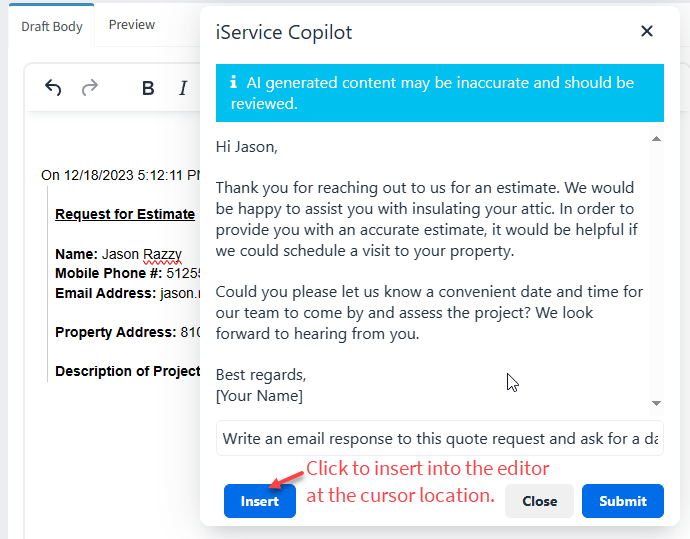
iService shows suggested replies, summaries, and semantically retrieved passages beside the customer message the agent is working. The agent submits the customer question and prompt for a draft. The returned draft is available to insert, review, and send from the same customer record. The question, prompt, and review stay with that record.

The iService Copilot prompt window showing a generated draft for the agent to review before sending

Draft and review a repeated answer

Agents need a consistent first draft for repeated questions and must decide the final customer answer.

An agent opens the current customer request and gives iService the customer question and a prompt. The prompt carries approved policy, format, and tone guidance for the reply. iService returns a draft beside the customer message. The agent inserts the draft, reviews it against the customer question, makes needed changes, and sends the final answer.

A durable customer interaction record connecting message, history, ownership, and status

View draft inputs before adding a draft

Agents need to inspect the customer question and prompt before they insert a generated draft.

iService generates from the current customer question and the prompt the agent submits. The question and prompt remain visible before the agent chooses Insert. Suggested replies and retrieved passages sit beside the customer message, where the agent compares the draft with the question before deciding what belongs in the response.

Keep agents responsible for final answers

Agents retain responsibility for each customer answer, including when iService generates a draft.

iService presents draft assistance on the active customer record for review. The agent decides whether to insert, edit, and send the draft. The agent remains responsible for every customer answer.

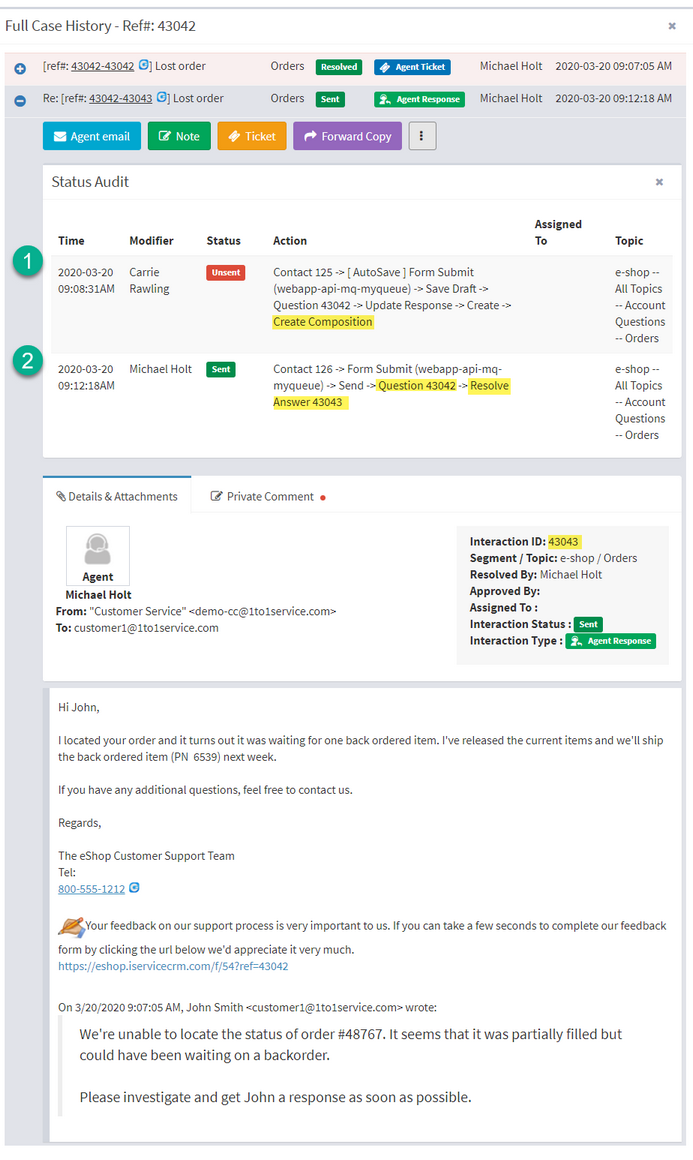
iService explaining an interaction status audit in plain language for the agent

Review AI drafts in iService

See iService draft from the customer question and approved guidance while your agent reviews the response and decides whether to send it.

Request a Demo