
Platform

Send outbound email from customer service records

iService sends outbound email to contacts in the service database using the same contact properties. Mailing criteria use recorded values. Forms and contact criteria enroll contacts in campaigns and schedule follow-up mailings. Delivery, bounce, click, view, and reply results remain in contact history.

Outbound email from service records

Service teams send onboarding sequences, renewal notices, and periodic updates to contacts in the service database.

iService sends from its existing contact database. Teams send onboarding sequences, renewal notices, and periodic updates to customers they already serve. The same contact properties remain available to service teams and mailing criteria.
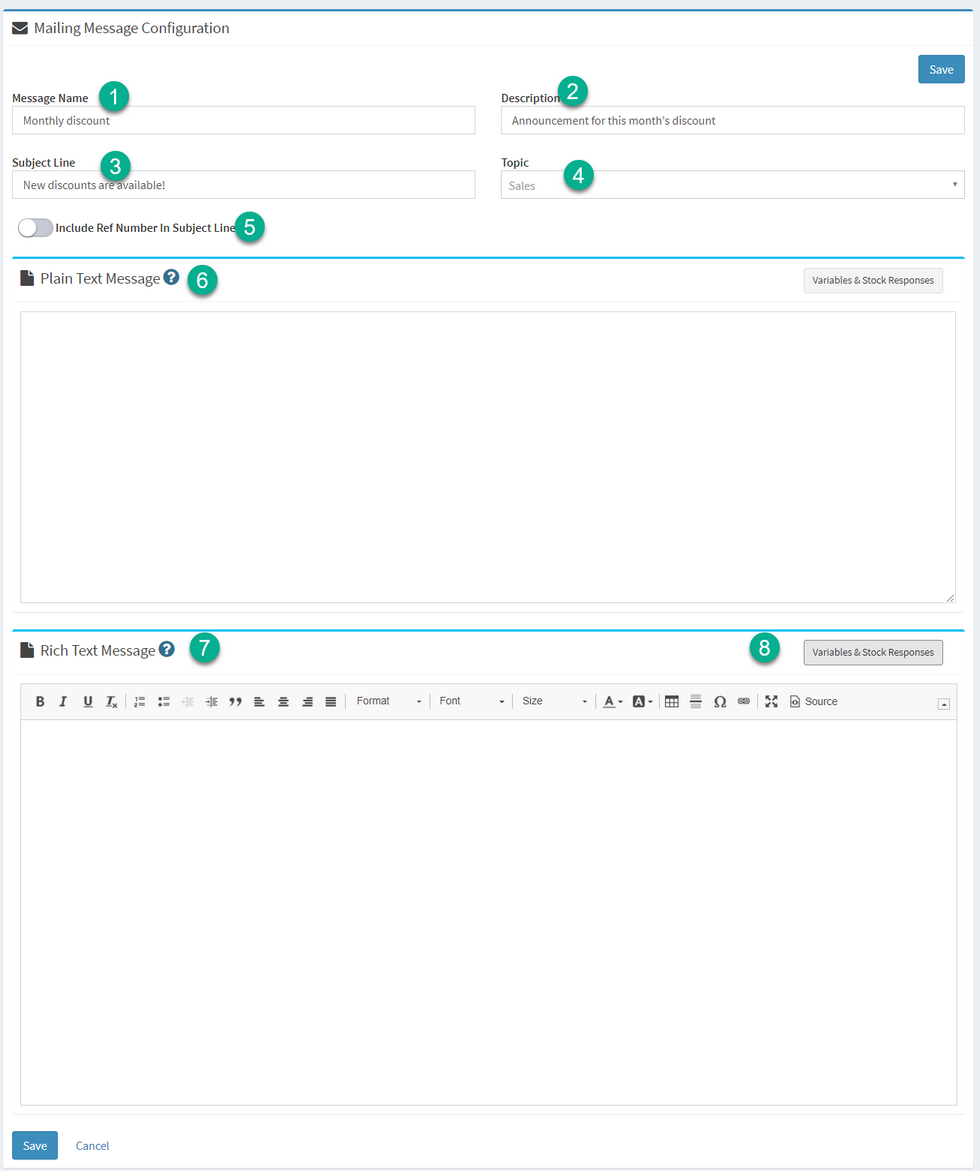
An iService mass mailing message configured for send

Mailing criteria, templates, and controls

Mailing criteria, templates, mailbox access, and permissions control each outbound email campaign.

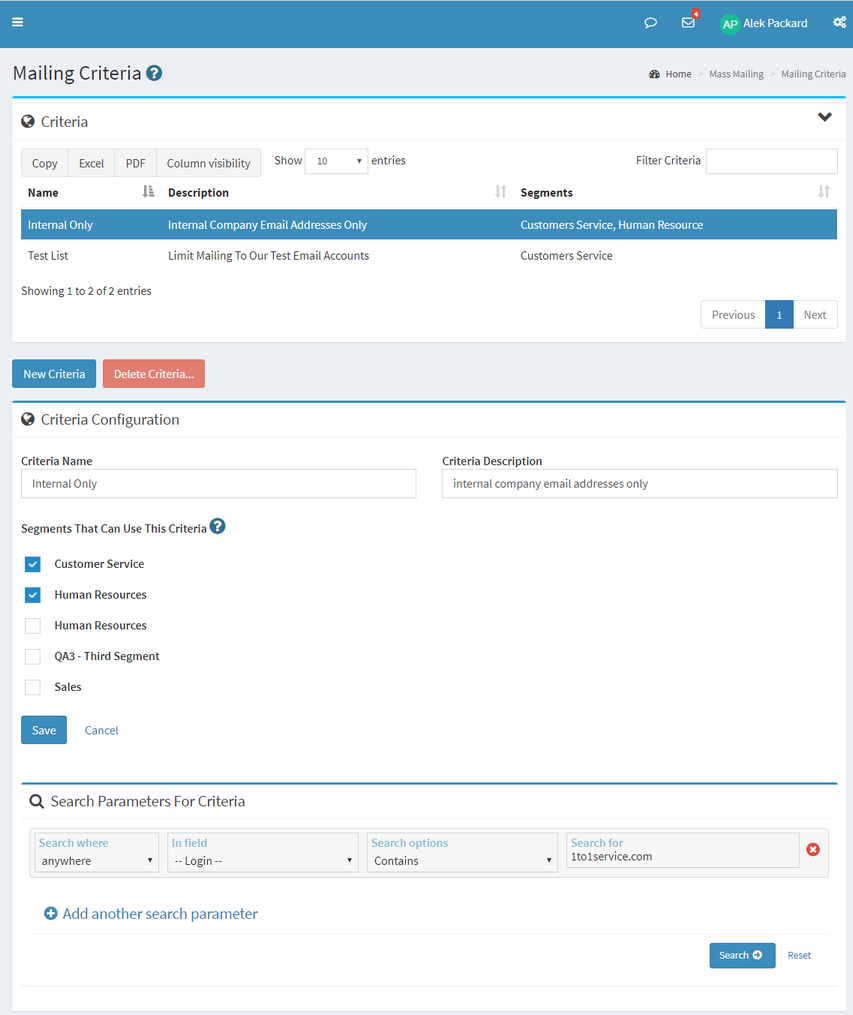
iService uses criteria from any contact property to narrow a mailing by region, tier, test group, or another recorded value. Built-in mass mailing uses reusable plain-text and HTML templates with criteria-limited test sends. Segment and user type control message access, sender mailboxes, and Send permission.

iService mailing criteria selecting the contacts a mailing goes to

A scheduled customer email sequence

A form submission enrolls a customer in a scheduled campaign using contact properties.

A customer submits a landing-page form, and iService adds the contact to a mailing list and updates custom contact properties from submitted values. A contact criterion enrolls the customer in a campaign. The campaign sends the first message and schedules the follow-up mailing from the service contact record.

The iService rich text editor composing a message body

Campaign results in contact history

Outbound delivery results and customer replies belong in the same contact history.

iService records mailing delivery, bounce, click, and view results in contact history. Replies use the message reference number to join the service conversation. The outbound message, campaign results, and customer reply remain in the contact record.

Subscriptions and opt-outs

Mailing lists, campaigns, subscriptions, opt-outs, and contact data determine campaign enrollment.

iService records mailing-list, campaign, and Knowledge Base article subscriptions on each contact record. Unsubscribe links add opt-outs that future mailings exclude automatically. External integrations and the iService Batch Utility enrich existing contact records with imported or synchronized data for mailing criteria.

See outbound email in iService

Request a demo to see iService build a contact-based mailing, schedule a campaign, and record results in customer history.

Request a Demo
