
Platform

Turn service email into owned interactions

iService records incoming email and web-form requests as topic-linked interactions with a queue, owner, and customer history. Supervisors see workload and service-level colors across hierarchical queues. Agents use an interface configured for each interaction. Reply reference numbers return customer messages to the original case.

Email and web-form intake

Service teams track the queue, owner, status, topic, and history for incoming email and web-form requests.

iService records email and web-form tickets in one queue. Every message becomes a contact- and topic-linked interaction. Segment Access Rights control which business units view and share its history. A reply reference number returns the customer response to the original case.
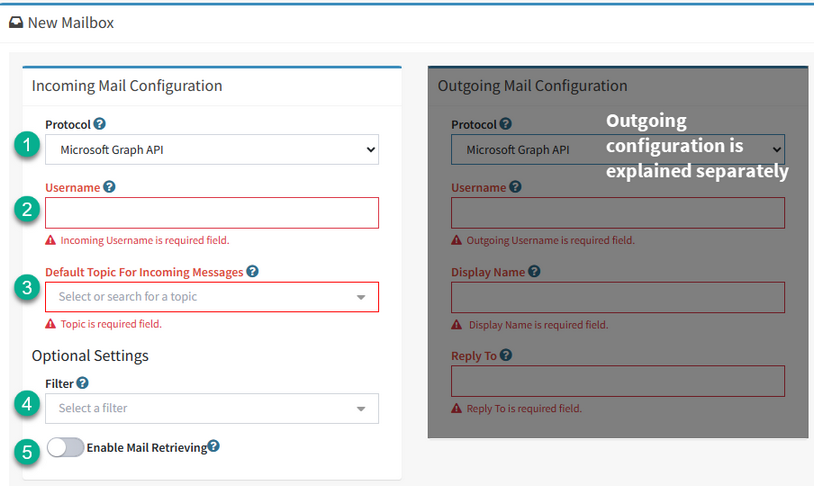
An iService incoming mailbox configured against the Microsoft Graph API

Topic-based email handling

Service topics set queues, skills, acknowledgments, senders, and service-level timing for customer requests.

iService uses the topic to set the queue, required skills, acknowledgment, sender, and property-based service level. It notifies agents when work arrives and when an unresolved interaction reaches its configured age. Supervisors use real-time hierarchical queues, service-level colors, and agent workload to assign work to the responsible team.

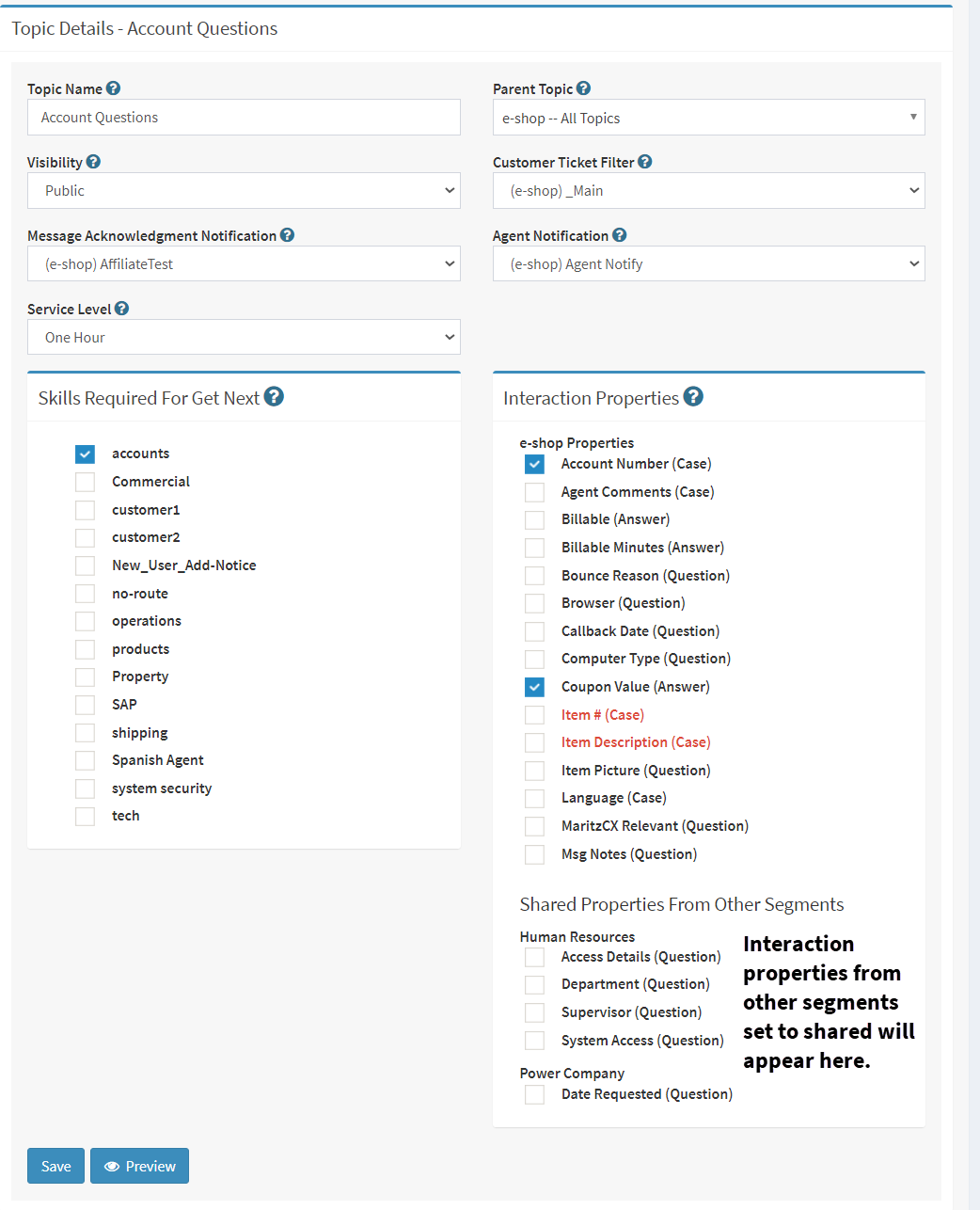
An iService topic configured with the settings that route mail arriving for it

Email reply from request to resolution

An agent works with the customer message, required actions, and prior exchange in one interaction.

A customer sends an email request and iService places it in the topic queue with the applicable service level. The assigned agent opens the configured interface, inserts a stock response, edits the answer, and sends it. When the customer replies, the reference number returns the message to the same interaction. The agent continues the exchange from the complete history.

An iService case view holding every message on one customer request together

Replies from email and external contributors

Customer questions receive answers from agents and invited contributors outside the iService agent interface.

Agents answer iService questions from notification email, and iService extracts the reply into the customer interaction. Invited non-agent contributors answer through an emailed External Answer page link. Interaction history stores both answers beside the customer conversation.

Customer replies on the original case

Customer replies return to the original interaction through the reply reference number.

iService uses reply reference numbers to return customer replies to the original case and interaction.

See email and ticketing in iService

Request a demo to see email and web-form requests enter a queue, receive a topic, and remain on one customer interaction.

Request a Demo
