Platform

Process incoming messages before they reach a queue

iService filters read, classify, and act on incoming messages before they reach an agent queue. Administrators write and reorder rules in settings. Filters match the message subject, body, mailbox name, sender, contact properties, or text attachments. Filter actions process routine messages and direct customer work to the correct queue.

Pre-queue message processing

Bounces, out-of-office replies, and spam arrive with customer messages in service mailboxes.

iService filters identify and process bounces, out-of-office replies, and spam before agents handle them. Administrators manage triage rules in settings. Each rule reads an incoming message before it enters the agent queue. The queue receives customer work that requires an agent response.
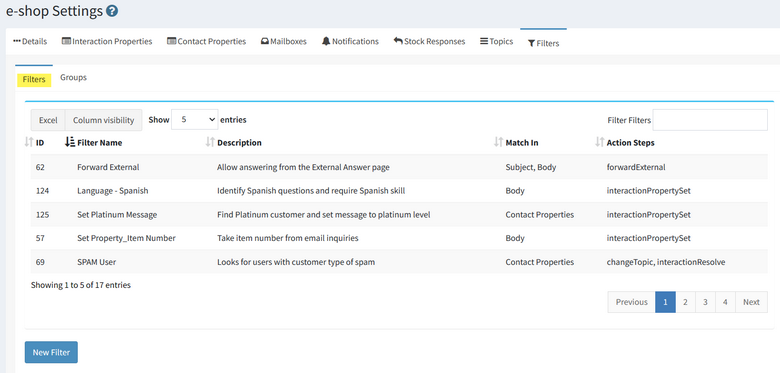
The iService filter list showing the rules that run against arriving interactions

Regular expression filter matching

A filter matches message content and applies the configured action.

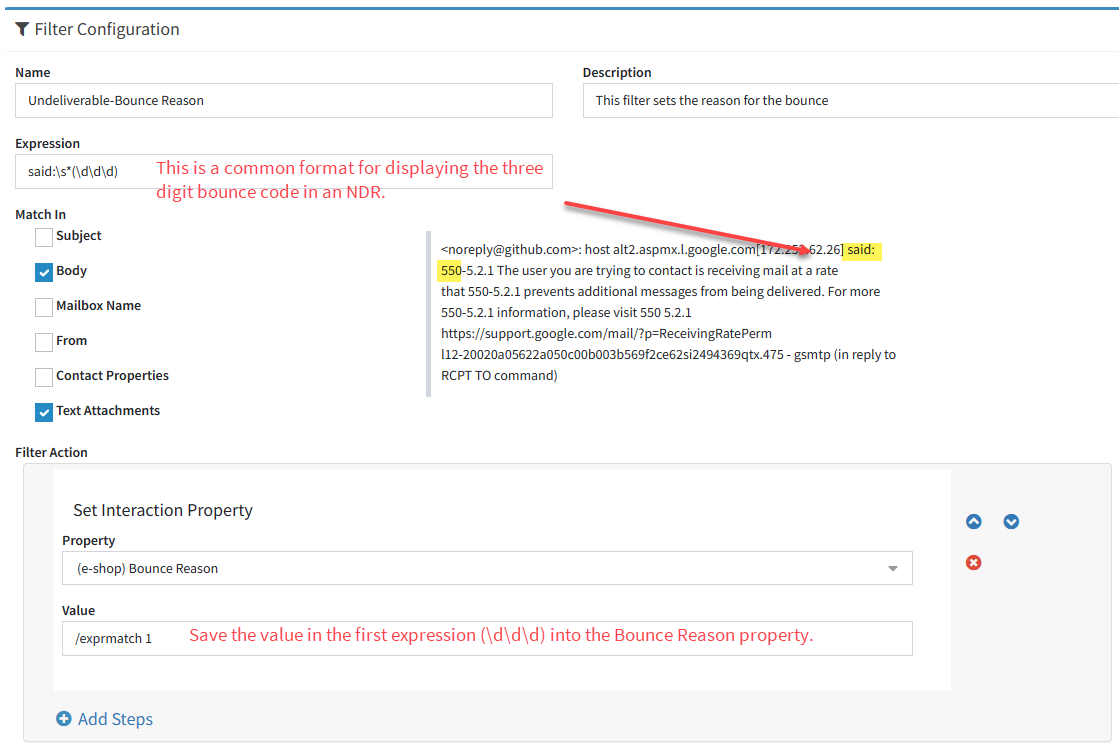
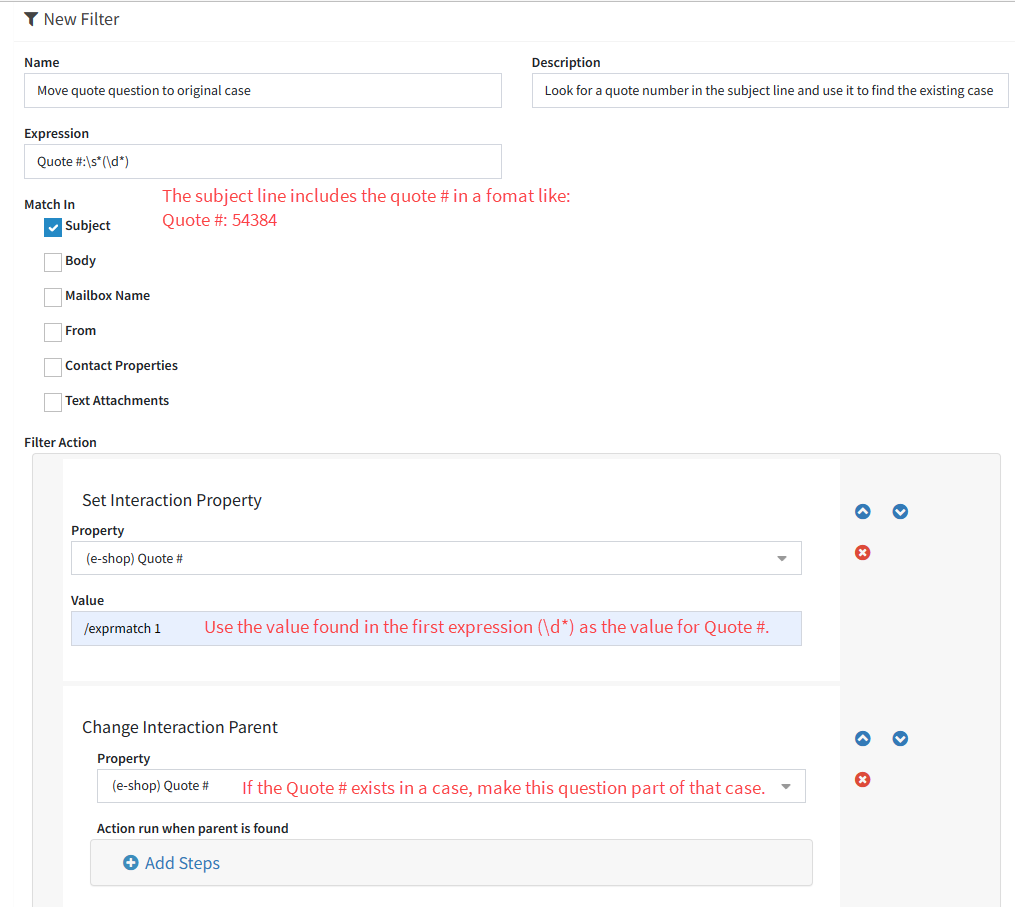
An iService filter matches regular expressions against the subject, body, mailbox name, sender, contact properties, or text attachments. When a pattern matches a reply, iService changes the topic, attaches the reply to the existing case, and assigns it to the responsible queue. Other filter actions set an interaction property, notify an agent, or resolve the matched message.

An iService filter group ordering the rules that run inside it

Test a revised filter rule

An administrator tests a filter rule against an existing interaction in its segment.

An administrator changes a rule that identifies an incoming reply and assigns it to the responsible queue. The administrator forwards an existing interaction back to its current segment. iService runs the interaction through the revised rule. The administrator reviews the topic and queue assignment applied to the interaction.

An iService filter action running another filter as part of its rule

Ordered filter groups

Several matching rules use a defined processing order and stop setting.

iService filter groups set rule order and choose whether processing stops after the first match or continues through every rule. You place the primary classification rule first or apply actions from several rules to the same message. The filter group stores the processing order for the queue.

Administrator-managed filter rules

Service administrators update message triage rules as queue conditions and message patterns change.

iService lets administrators write and reorder triage rules in settings. The queue owner updates matching logic and tests it with an existing interaction in the segment. The service administration team controls message processing rules.

See iService filters and processing rules

Request a demo to see an iService filter match a message, apply an action, and route the resulting work to a queue.

Request a Demo