

Communication channel

Route customer email to the right agent

iService turns high-volume customer email into assigned service work. Microsoft Graph retrieves each message and creates an interaction. Topics, routing rules, queues, and agent skills assign it to an owner. The agent reviews the interaction history and uses an Answer Panel to take the next response action.

Envelopes arriving on one run and turned at a sorting junction onto separate runs into the queues of the agents matched to them

Email ownership and service context

Customer email becomes assigned service work with a topic, queue, properties, and interaction history.

iService turns each email into an interaction with properties and history. Topics and routing rules send requests to queues by topic and agent skill. Your team sees who owns each request and follows the email exchange in the service record.

A newly arrived message resting with its earlier exchanges already attached beside it

Microsoft Graph email routing

Microsoft 365 email enters the classification, assignment, and response workflow your team uses for service work.

Microsoft Graph retrieves Microsoft 365 email and converts each message into an iService interaction. The selected topic places the interaction in a queue, and skills-based routing assigns it to an agent. Workflow Automation and Answer Panels show the response steps and actions. Customer and case history stay with the email interaction.

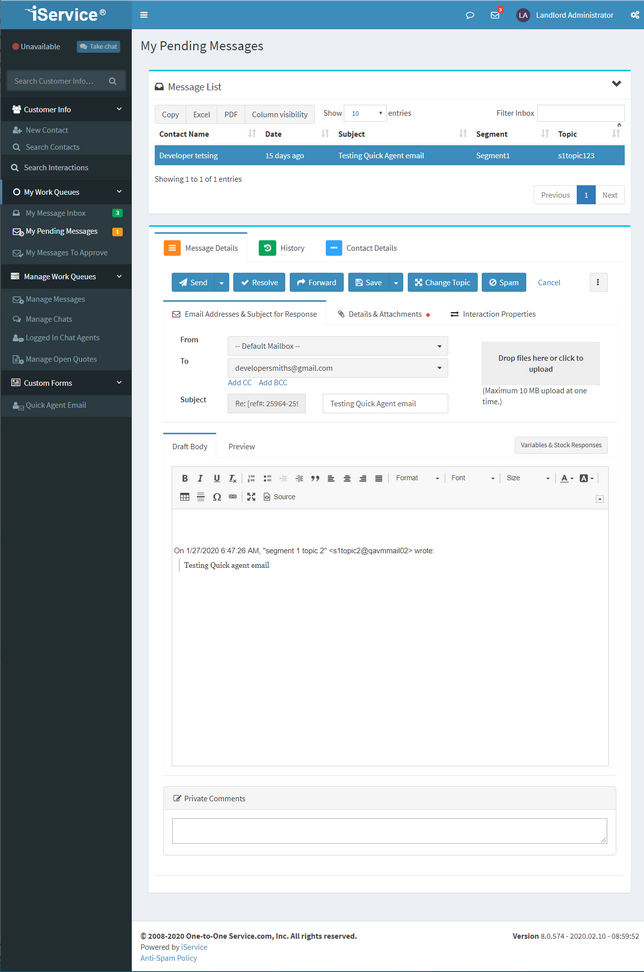
The iService pending message queue waiting on an agent reply

A routed customer email

A customer email follows a defined path from Microsoft Graph intake to an agent response.

A customer email arrives through Microsoft Graph Email and becomes an interaction. Topic Routing sends it to the matching queue, where skills-based routing assigns it to an agent. The agent opens the interaction, reviews customer and case history, then uses Answer Panels for the next response action. The reply and outcome remain in the email history.

Email with service history

Email service work uses skills-based routing, contact history, case history, and interaction properties.

iService keeps email as your customer service channel instead of leaving it in a shared inbox. Each message carries skills-based routing, contact and case history, and interaction properties. The email remains a customer message and a service interaction with a recorded owner and history.

Email as the service channel

Your email service team uses Microsoft 365 mailboxes for customer conversations.

iService works with the email channel your service team uses. Microsoft Graph connects Microsoft 365 email to routing, queue ownership, interaction history, Workflow Automation, and Answer Panels. Your team organizes and answers service email in that customer channel.

Request an iService demo

See how iService turns Microsoft 365 email into routed interactions with customer history and Answer Panel actions.

Request a Demo