

Common use case

Automate your approval processes

iService Workflow Automation moves requests through review, approval, and completion, giving each participant the next step.

A request advancing through review, decision, and approval stages with a guiding panel

Keep approval decisions moving

Approval decisions need a recorded owner and a clear next step.

iService routes approvals to the right person and records each decision, so your team can keep requests moving without chasing forwarded emails. Each approval stays connected to the customer service work it advances.

One request moving along a continuous track past three staffed stations, each person holding a lit marker showing what they do next

Workflow steps and approval actions

Authorization work needs defined steps, actions, and accountable participants.

iService Workflow Automation manages each step of the approval process within the customer service workflow. Configure review, approval, and completion as one connected sequence. The workflow sends every participant the next step and records the outcome in the interaction. Approvers act from the ticket instead of switching to email or a separate system.

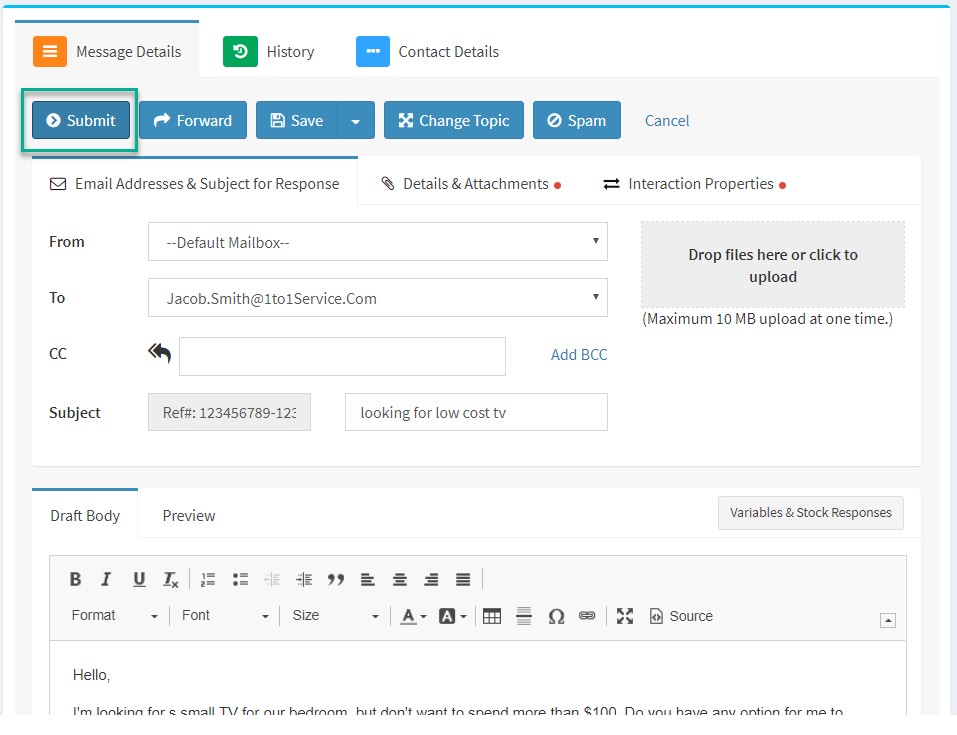
An iService response waiting in the approval queue before it is sent

A request through approval

A submitted request must reach the authorized approver with the required actions ready.

A request submitted through a workflow form routes to the authorized approver's queue. When the approver opens the ticket, Approve and Reject actions appear with the request. The selected action records the decision in the interaction workflow and moves the request to its next step. The service team sees the outcome in the same record.

Keep approvals in the workflow

Approval decisions lose context when they move into forwarded emails and separate conversations.

iService records approvals as part of the interaction workflow. Decisions, actions, and the request history remain together. Your team can see who approved the work and move the request forward from the same customer service record.

Configure approval rules without code

Different approval cases should not require separate workflows or custom code.

iService handles branching approval rules in one no-code workflow. Configure the path for each case without maintaining separate workflows or writing custom code. The workflow routes each request to the right approver and keeps the decision in the service record.

See Answer Panels for approval actions

See how Answer Panels give approvers the actions they need to review requests, record decisions, and move customer service work forward.

See Answer Panels