

Common use case

Manage B2B support by account and relationship

iService keeps the account, agreement, contacts, and service history together for every business request. Each interaction includes account properties and history beside active work. Requests from linked contacts contribute to the account service record and business relationship context.

An account connecting multiple contacts and a partner around shared interaction history

Account context for every request

B2B service work connects business accounts, several contacts, shared agreements, and service history.

iService puts account properties and service history beside each interaction. Contacts connect to the business account. Teams see relationship context for each key-account request. Active work includes the account, agreement, contacts, and prior service record.

A group from one business account greeted as known, with their shared history already in hand

Contacts and interactions linked to accounts

Email, chat, and form requests identify a sender and join the linked account history.

iService identifies each email, chat, or form sender and creates a contact when required. Segment Management, contact and account properties, and Interaction and Contact Search frame the business interaction. The new interaction joins the linked account history. The service team works with the shared account context.

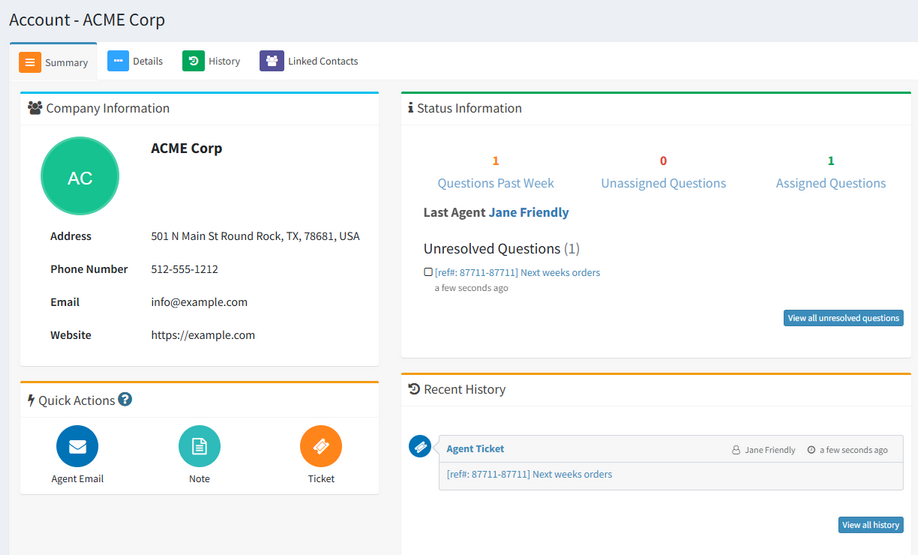
An iService account summary showing the contacts and activity under one business account

An email in the account service record

A contact email joins the account record and history shared across linked contacts.

A contact sends an email about an existing business account. iService identifies the sender, links the interaction to the contact, and adds it to account shared history. The agent opens the request with account properties and earlier service exchanges. The response becomes part of the account record for linked contacts.

Shared history across linked contacts

Account History combines customer interactions across contacts linked to a business account.

iService Account History combines email, chat, mailings, and notes across linked contacts. The account record shows the service history for the business relationship. Teams use the account service record when one contact starts work another contact continues.

Support for accounts with several contacts

Individual contacts retain their own request details within an account-level support model.

iService keeps the individual interaction active and connects it to the account and related contacts. Each person and request retains contact and interaction details. The service team also sees agreements, account properties, and shared history for the business request.

Request an iService demo

iService keeps account properties, linked contacts, agreements, and service history beside each business request.

Request a Demo